Observability
Look into the future if AI experiences! Complete transparency with logs, metrics, and traces. Track inputs, outputs, token usage, latency, and model versions.

Token Usage (Odometer)
Real-time cost and token analytics built directly into the chat.
Requests, Input, Output, Total Tokens, Cost — updated instantly.
Multiple Views — Last Prompt, Today, 24 Hours, 7 Days, 30 Days, This Month.
Operational Data — pulled live so you can spot spikes and control costs.
A simple way to understand usage and avoid surprises.
Multiple Views — Last Prompt, Today, 24 Hours, 7 Days, 30 Days, This Month.
Operational Data — pulled live so you can spot spikes and control costs.
A simple way to understand usage and avoid surprises.
Distributed Tracing
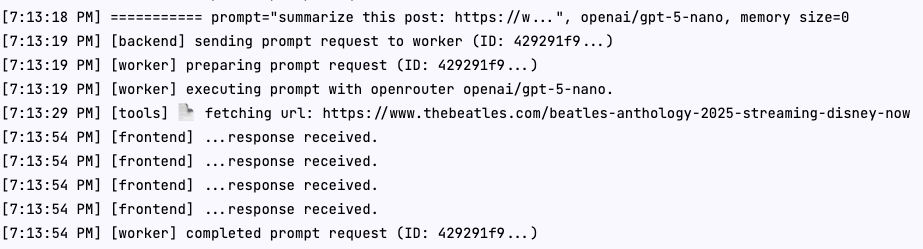
A real-time trace of how each prompt moves through the system.
Request Lifecycle Viewer — shows each stage of your prompt as it happens.
Sequential Timeline Grouping — events appear with the full execution path.
Event Categories — steps like Search, Fetch, Worker, Model, and Error.
Human-Readable Messages — system updates explained in simple language, not engineering jargon.
Timestamps — precise timings that show how long each step took.
Sequential Timeline Grouping — events appear with the full execution path.
Event Categories — steps like Search, Fetch, Worker, Model, and Error.
Human-Readable Messages — system updates explained in simple language, not engineering jargon.
Timestamps — precise timings that show how long each step took.
Click to enlarge
Conversation History
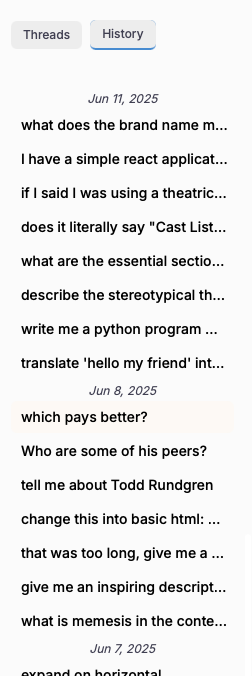
Complete conversation and interaction history
We keep history records. These each have a prompt, and a response from a large language model. Our search and browsing features make it hard to forget history
Click to enlarge
Search Memories
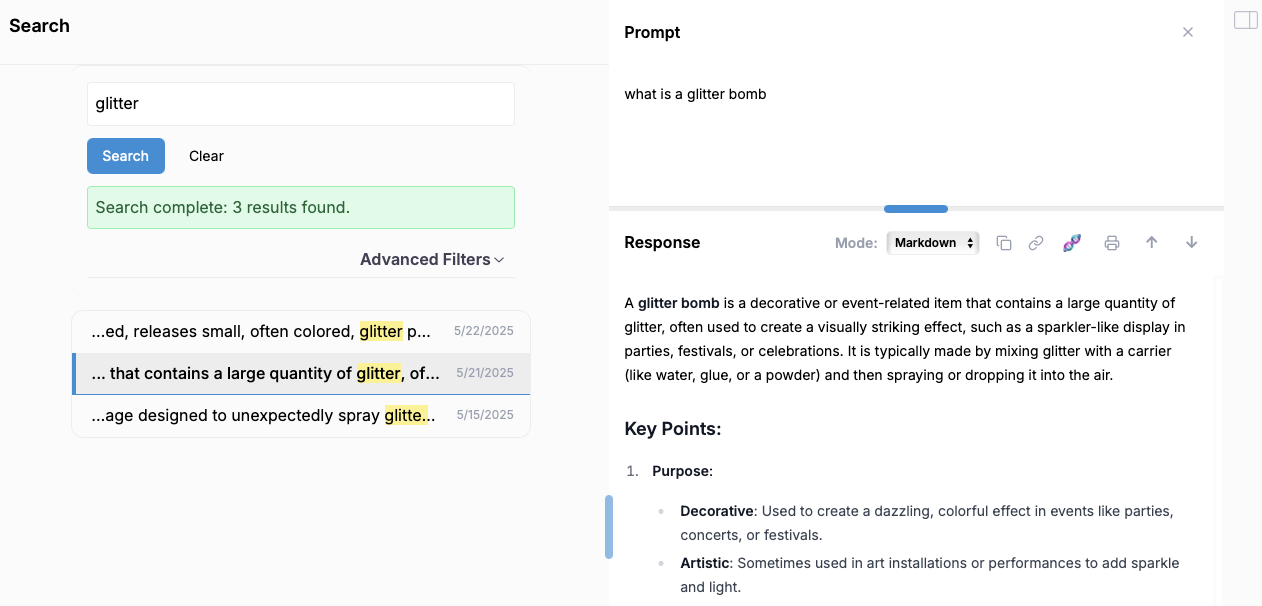
Not just wading through threads
Powerful search and filtering capabilities across all your AI conversations and workflows. Find patterns, identify bottlenecks, and optimize your AI usage with detailed analytics.
Click to enlarge
Orchestration Pipeline
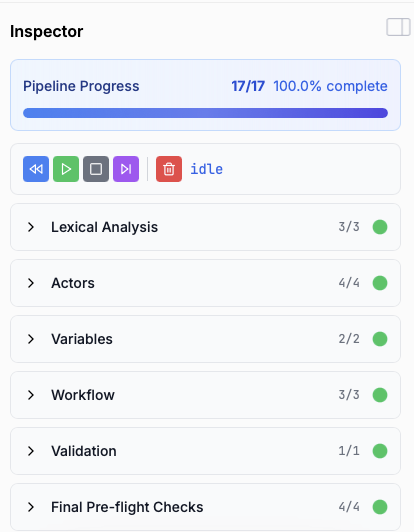
Visualize and monitor AI workflow execution
Track complex AI workflows and multi-step processes in real-time. Optimize your orchestration for maximum efficiency and reliability.
Click to enlarge
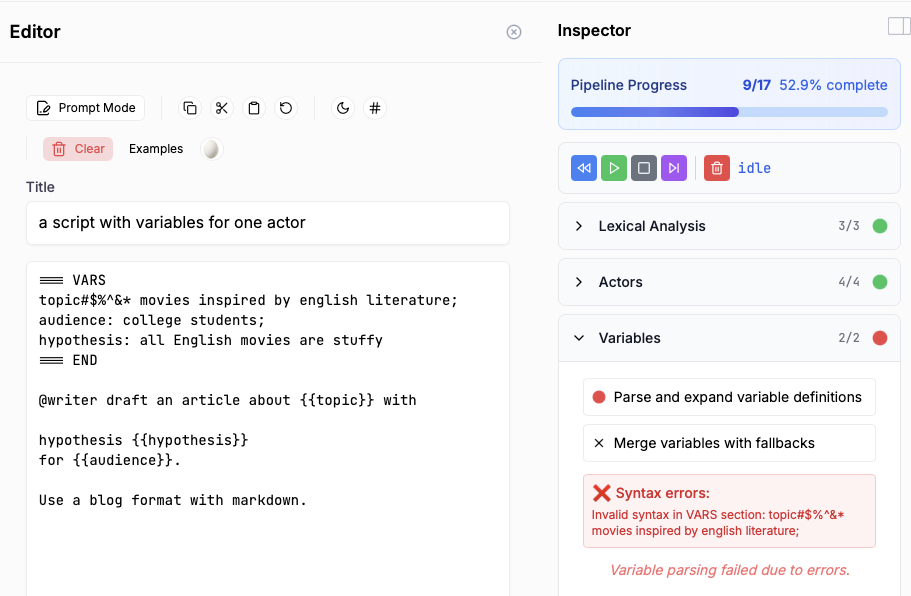
Template Editor
Preview more complicated scripts before you run them
Edit your prompt template. Inspect the results. Avoid mistakes.
Click to enlarge
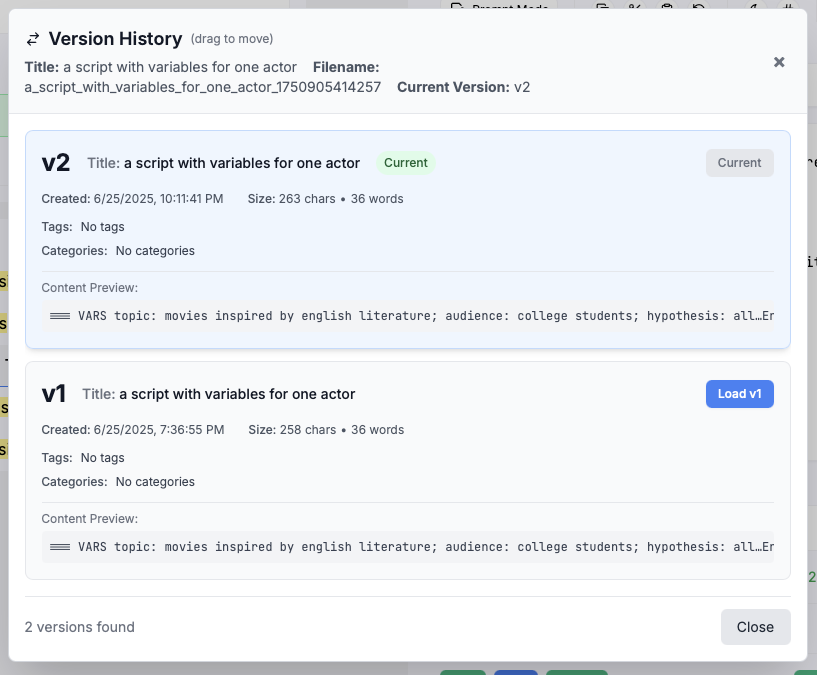
Version Control
Track changes and iterations for your prompts templates.
Complete version history for prompts. See how your AI systems evolve over time, rollback changes, and maintain audit trails for compliance.
Click to enlarge